
Extra workExtra work counts — don't do more for less
Extra work that isn't logged gets forgotten—or worse, ends in a dispute. You do the work, but the client doesn't remember approving it.
With Rektor you log extra work on the spot and the customer approves it digitally. Everything is documented and added to the project automatically.

What you get
- Logged in Rektor on the web, on mobile, or via Rektor AI
- The customer approves digitally before the work starts
- Approved extra work is added to the project and goes on the next invoice automatically
- Progress and project status update with the added units
How it works
Three ways to add
In the project, you choose units, quantity, and discount for the extra work, and then decide what happens to the offer.
- Simply add the units to the project so the team can track progress on them, without changing the offer.
- Update the offer and invoice right away, without customer approval.
- Or send the customer an approval request. The lines are added to the offer once approved.
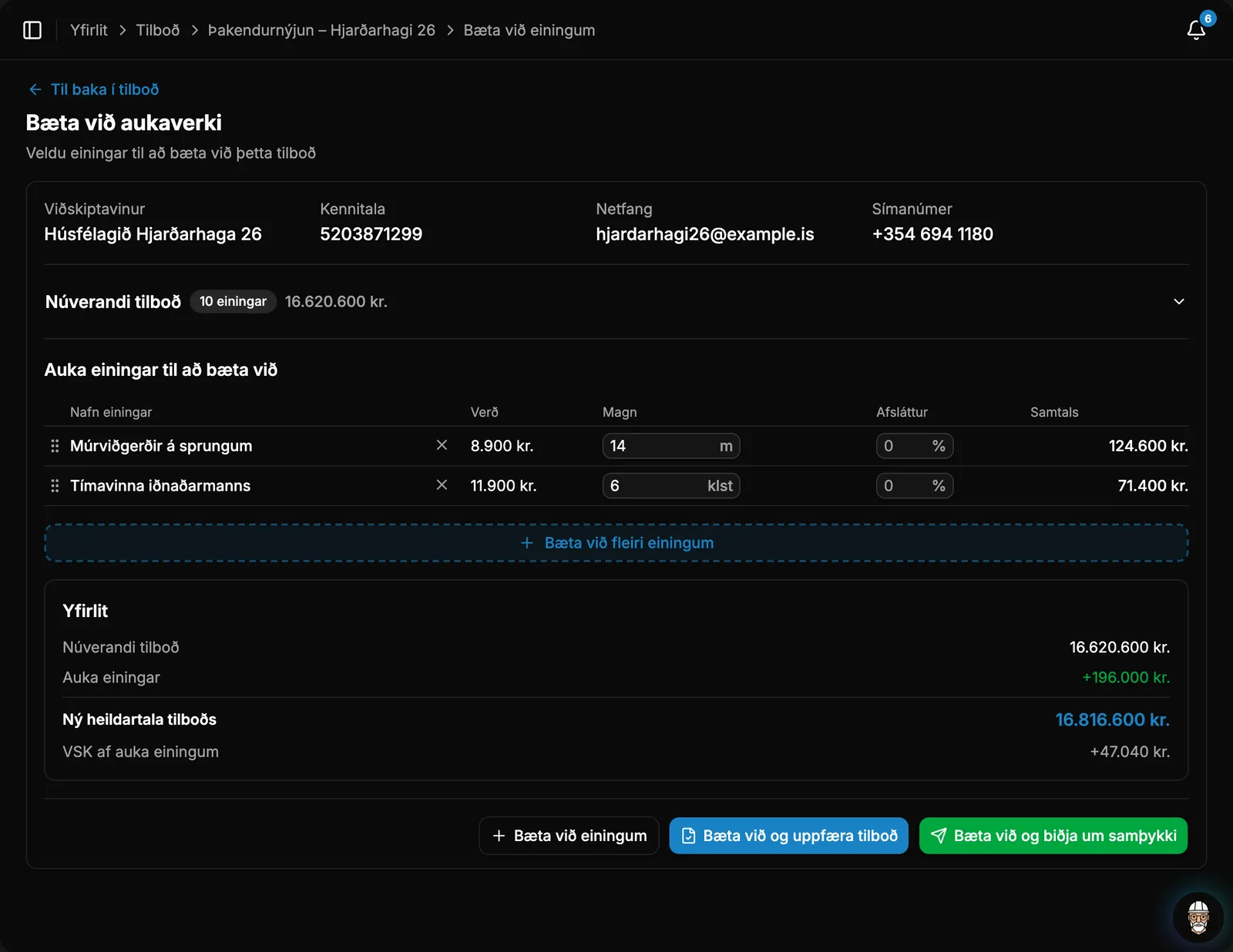
The request to the client
When approval is needed, the client receives a clear request with pricing and a deadline instead of a verbal agreement.
- On the offer page, they can accept or decline each line individually, or approve all at once.
On the project and on the invoice
Approved Extra Work becomes part of the project, just as if it had been in the original offer.
- The new units appear in the project progress, and the team logs quantities on them in the app.
- The project's offer updates and the Extra Work is included on the next invoice.
- You can add more even if an invoice has already been sent.
Take control of your operations
Try Rektor free and see your real profit on every project.
14 days free · No credit card required · For contractors with 1–50 employees