
QuotesStop spending your evenings on quotes
The Offer is ready in minutes, and you can create it on your computer or phone.
The customer receives the Offer by email and approves it with a single click. The job then goes straight to the Timeline, where you schedule it.
What you get
- Pricing by Units and margin calculated instantly
- Accepted Offer automatically becomes a Project
- Automatic follow-up: the customer gets a reminder a week after sending and the day before the quote expires
- A fixed price for the whole job when that fits better than units
How it works
Units are your price list
Everything in Rektor is built on units. You record each unit once and reuse it across every offer, project, and invoice.
- CostTotal material cost excluding VAT and labor. Rektor calculates the profit margin based on it and warns you if the cost exceeds the price.
- Hourly WorkA Unit that pulls hours from staff Sessions and costs from their wages, so no one has to enter quantities.
- Billed by Hours WorkedTime-based work can be offered at an hourly rate instead of a fixed number of hours. The customer approves the hourly rate, with an estimate if you want—for example 24 to 32 hours—and pays for the hours worked. You'll get a warning if the hours exceed the estimate.
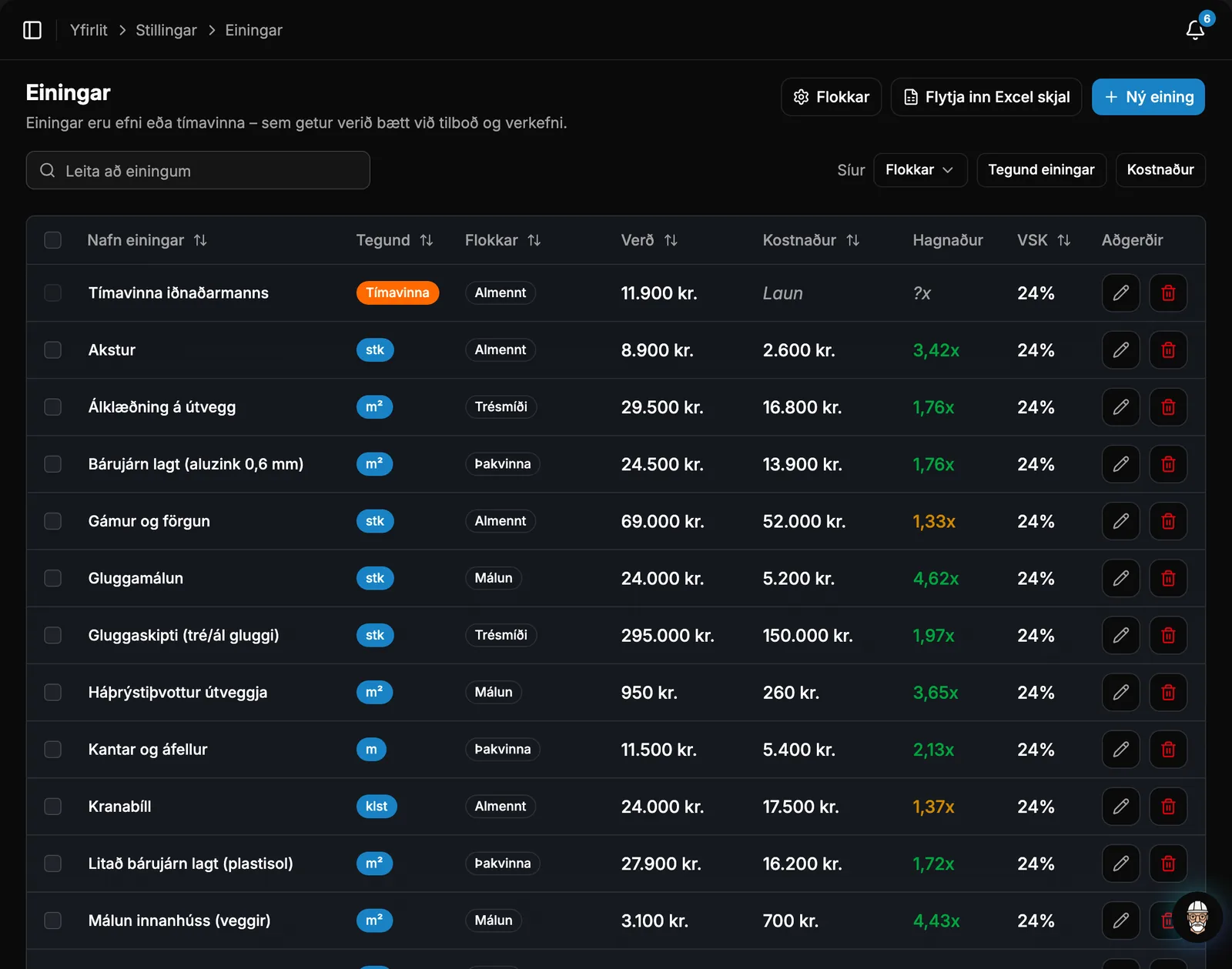
Your price list in minutes
No need to enter your price list line by line. Import it from a spreadsheet or pull items directly from your accounting system.
- Drag in an Excel or Numbers file and Rektor matches the columns to name, price, cost, and VAT. You confirm before anything is saved.
- If you connect DK+ or Payday, you can pull items from there and use them as Units.
Putting the offer together
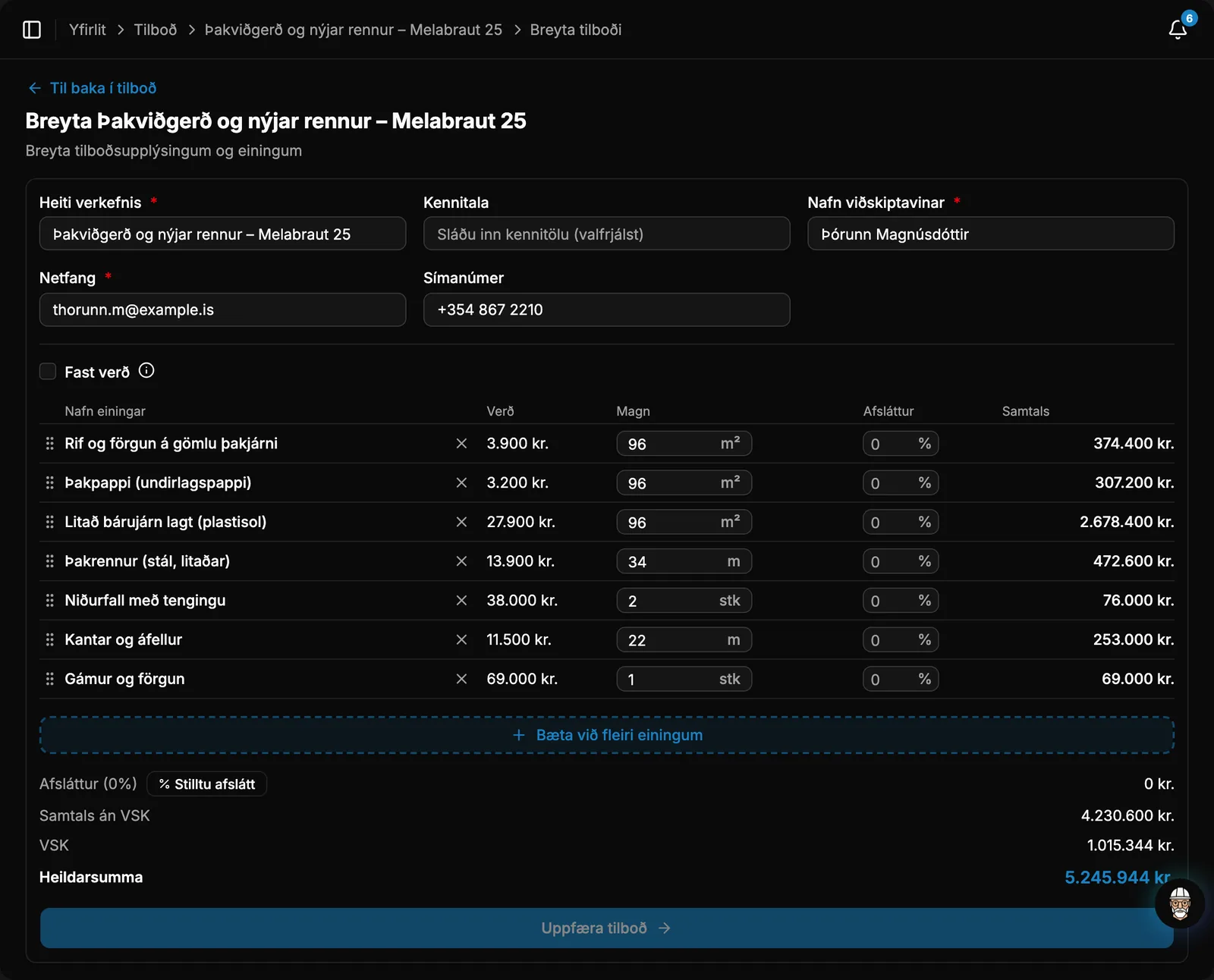
Fill in the customer, select units and quantities, and watch the subtotal without VAT, VAT amount, and total calculate in real time at the bottom of the page.
- Fixed PriceA single price for the entire job instead of itemized Units, with a customer-facing description, VAT, and an optional estimated cost to track your margin.
- Scope of WorkA rich text editor for the scope of work, complete with formatted text and links. The scope of work is included in the Offer PDF.
- Start from a copy of an earlier Offer, or create the Offer directly from a Request so all the details carry over.
- Drawings, photos, and other documents accompany the Offer, and the email and PDF are available in Icelandic or English.
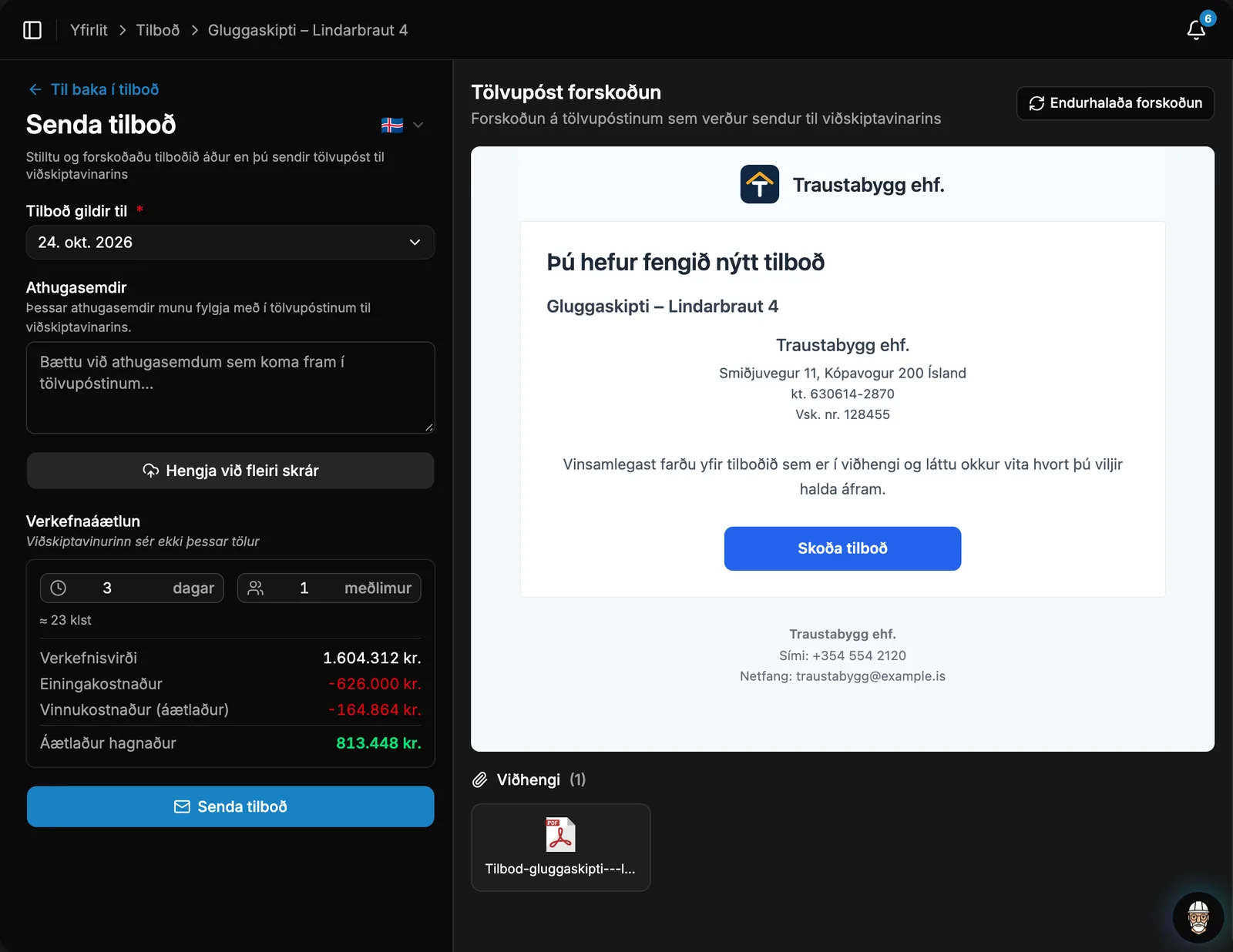
Profit margin before you send
Before the Offer goes out, enter the estimated days and number of workers, and Rektor calculates what the job yields. The customer does not see these numbers.
- You get a warning if the job is heading for a loss or margins are low.
Automated follow-ups
See where each offer stands, and Rektor automatically reminds clients about unanswered offers so you don't have to chase them.
- You can see when the customer opens the Offer.
- The customer receives a reminder one week after sending and the day before the Offer expires.
- You receive a notification and an email whenever an offer is accepted or rejected, along with the reason if provided.
- You'll receive a notification when an offer or service contract offer expires without a response, so you know when to follow up.
Accepted offers: next steps
An accepted Offer becomes a Project with the same Units, price, and customer. You can also accept the Offer manually or create a Project without an Offer.
Take control of your operations
Try Rektor free and see your real profit on every project.
14 days free · No credit card required · For contractors with 1–50 employees