
Mobile App for Employees
Mobile App for Employees
One app for staff at the project location: clock in and out, log completed work, take photos, and submit time off requests. Everyone chooses their own language.
What you get
- Check off tasks and track progress
- Take photos and write notes that go straight into the project log
- Submit receipts for material purchases directly to the project
- Log completed quantities on units when work is measured in units
How it works
From invitation to first session
An administrator invites the employee via email and they download Rektor from the App Store or Google Play. They log in with the email the invite was sent to and the password they created.
- The app is available in Icelandic, English, Norwegian, Polish, Russian, Lithuanian, Ukrainian, and Spanish. Each worker selects their language in settings and receives notifications in that language.
- You choose the invitation language for each person, so foreign staff receive the invitation and instructions in their own language.
- You don't have to enter every email address: import the crew from DK or Payday, from an employee list or payslips, or paste in a list, and set each person's role and salary before invites go out.
- Or turn on a join link, print the QR code, and hang it up in the site trailer. The crew scans it, creates an account, and requests to join, and you approve each one.
The home screen
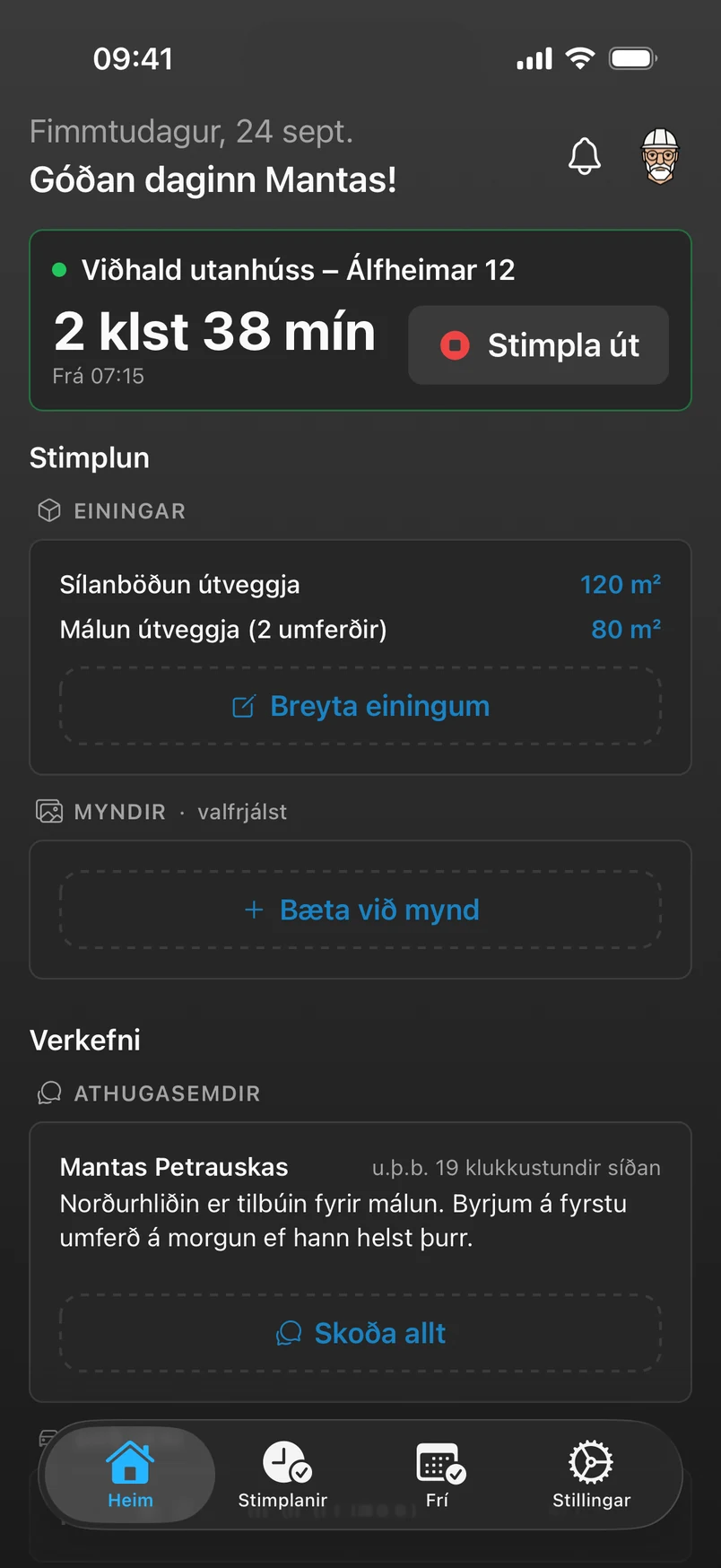
The home screen adapts based on whether the employee is clocked in. In the morning, it shows the day ahead; while working, it shows the project.
- The ProjectUnits or checklist to log progress, photos, team comments, and a map of the project location. “Get Directions” opens navigation in the phone’s map app.
- Scope of WorkThe employee reads the work description in the app and can translate it and the checklist into their language with a single click.
- VehiclesOptional. If the organization uses vehicles, the employee sees the vehicle of the day and it is automatically added to the session. Otherwise, the app asks which vehicle they are driving.
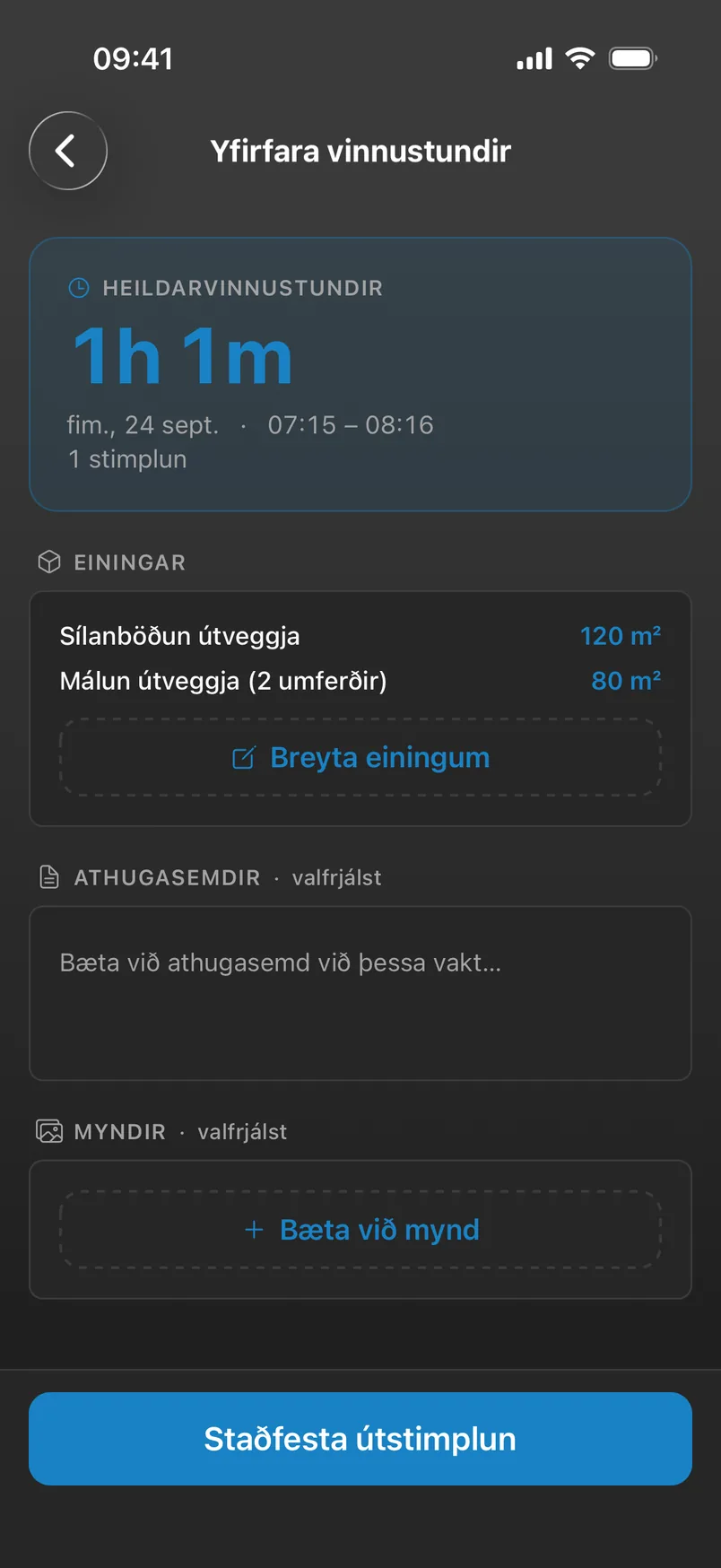
Progress, photos, and clock-out
The employee logs what was completed while on site or when clocking out. Everything goes directly to the project and daily log.
- ChecklistCheck off what's done or enter a number. When the last task is checked off, the app asks whether to complete the project.
- Checklist TemplatesSave recurring checklists, for example for a bathroom renovation, as templates and add them to a new project in one go.
- Checklist from Rektor AIWhen an offer is accepted, Rektor AI suggests the work the team carries out on site, in the correct order and with estimated hours, based on the offer, the scope of work, and site photos.
- PhotosTake a photo or choose one from your gallery. The photo attaches to the session and appears in the project log.
- ReceiptsDid an employee buy materials for the job? They snap a photo of the receipt or select a PDF, and Rektor reads it and adds it to the project costs.
Works offline
Project locations are often out of range. The app stores actions locally on the phone and syncs them automatically once reconnected, even if the app was closed in the meantime.
Time off and sick leave
Employees request time off in the app, and managers process requests in the web dashboard.
- The manager approves or rejects, indicates whether the leave is paid, and can provide a rejection reason visible to the employee.
- If an employee will be on time off while scheduled for a project, Rektor warns the manager and suggests someone else instead.
- If an employee calls in sick, the manager logs the time off directly in the web dashboard, and it is included in the payroll report.
Take control of your operations
Try Rektor free and see your real profit on every project.
14 days free · No credit card required · For contractors with 1–50 employees