
Real-Time OverviewThe reports your business needs
Project reports, staff reports, and payroll reports are all built on the same sessions and units, so the numbers always match.
What you get
- Project report: actual vs. planned side by side, margin, and earned value on every job
- Staff report: hours, overtime and value delivered by each employee over a period
- Payroll report: standard hours, overtime, paid time off, and total pay for the pay period
How it works
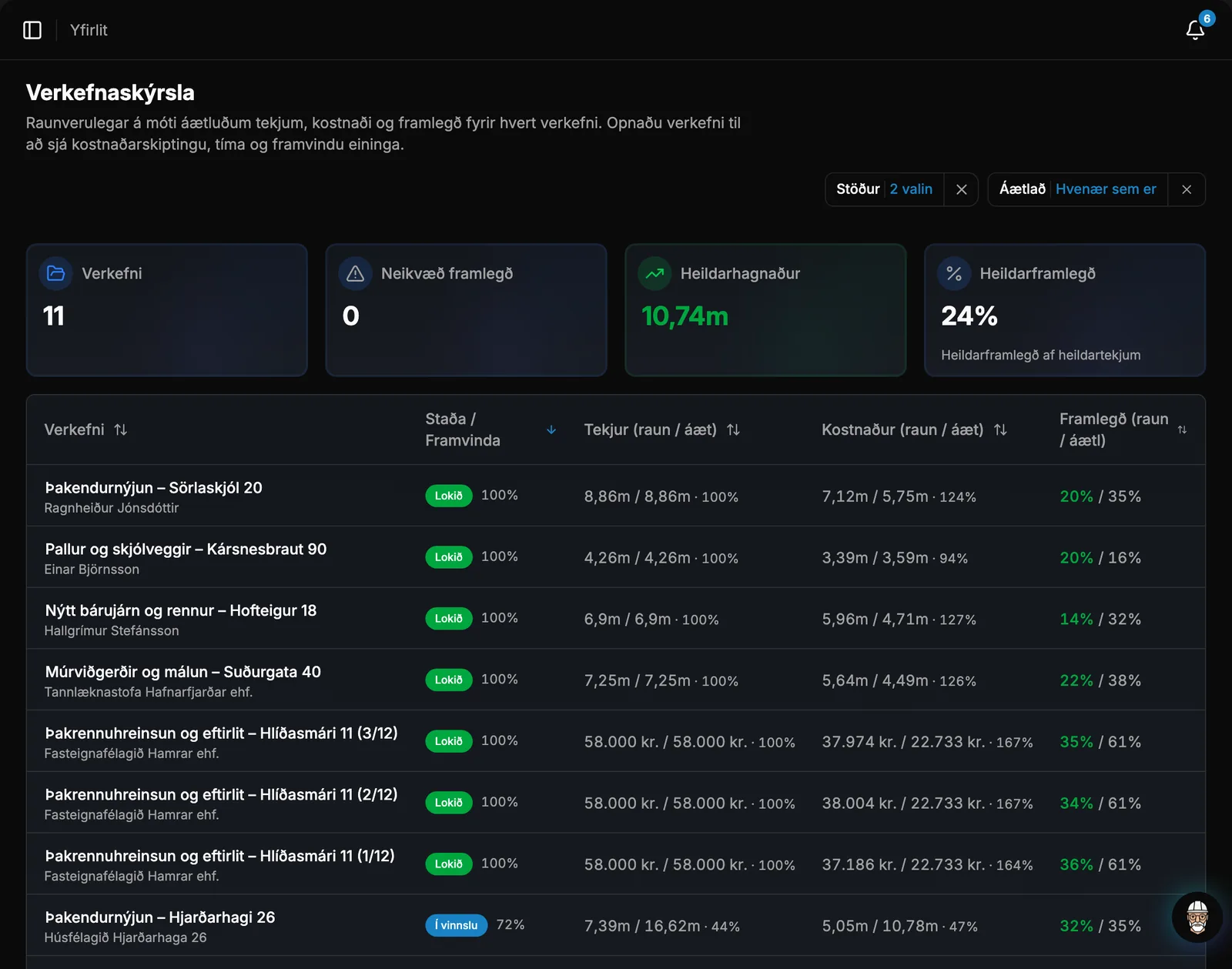
Project report: actual vs. plan
One row per project showing revenue, cost, and margin. Each figure is displayed as actual / planned, showing actual performance alongside original offer projections.
- CostActual cost consists of wages for each employee's clocked hours, material costs for completed units, and purchases on the project. The estimate comes from the offer's units and purchases.
- HoursHours worked versus estimated, so you can instantly see which projects are exceeding estimates.
- Group the report by client and see which clients deliver the highest margin.
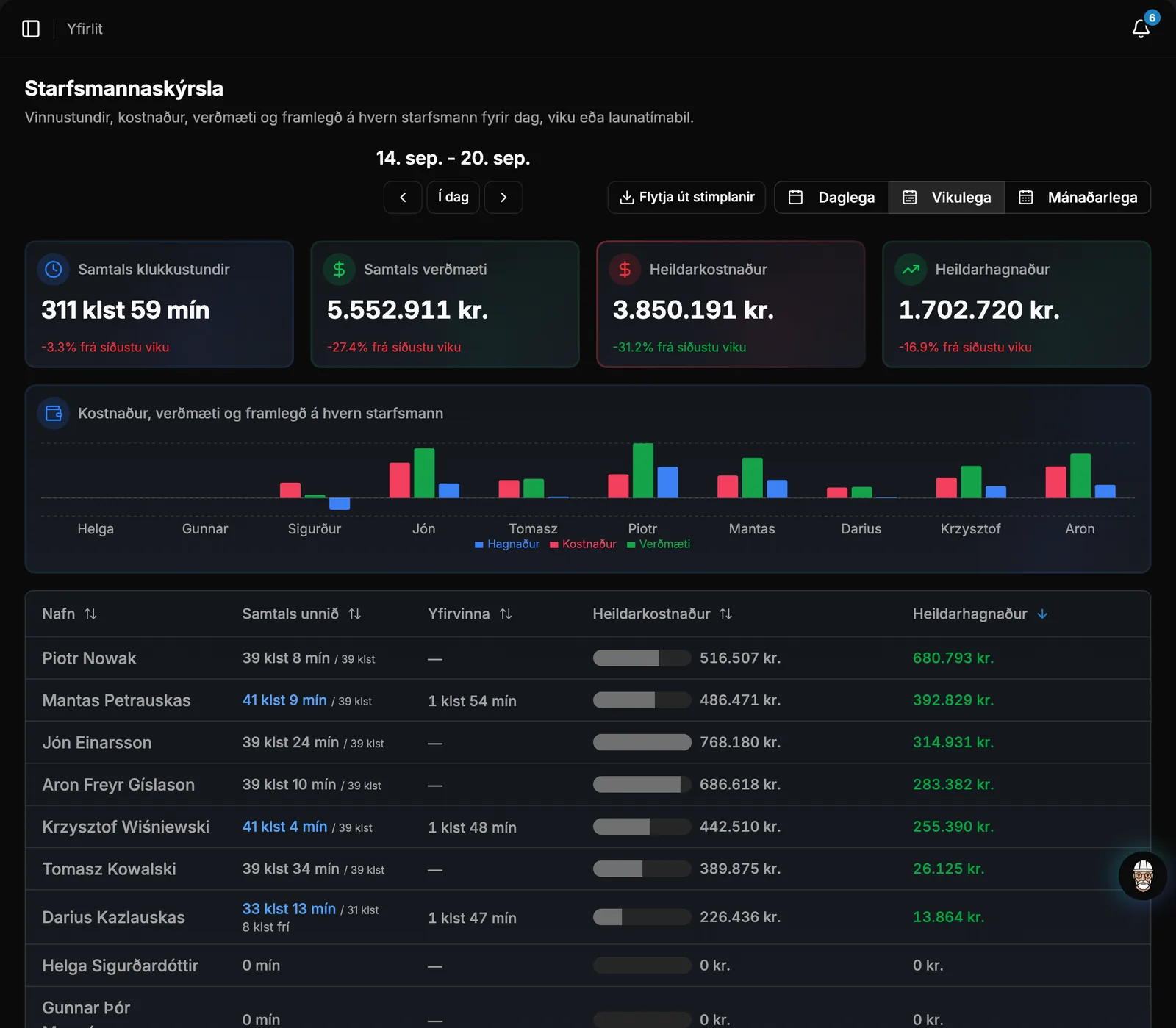
Staff report
Hours worked, cost, and value per employee. Choose day, week, or month—where the month aligns with the payroll period—and compare with the previous period.
- ValueRevenue generated by the hours for projects, based on the price of the units worked on.
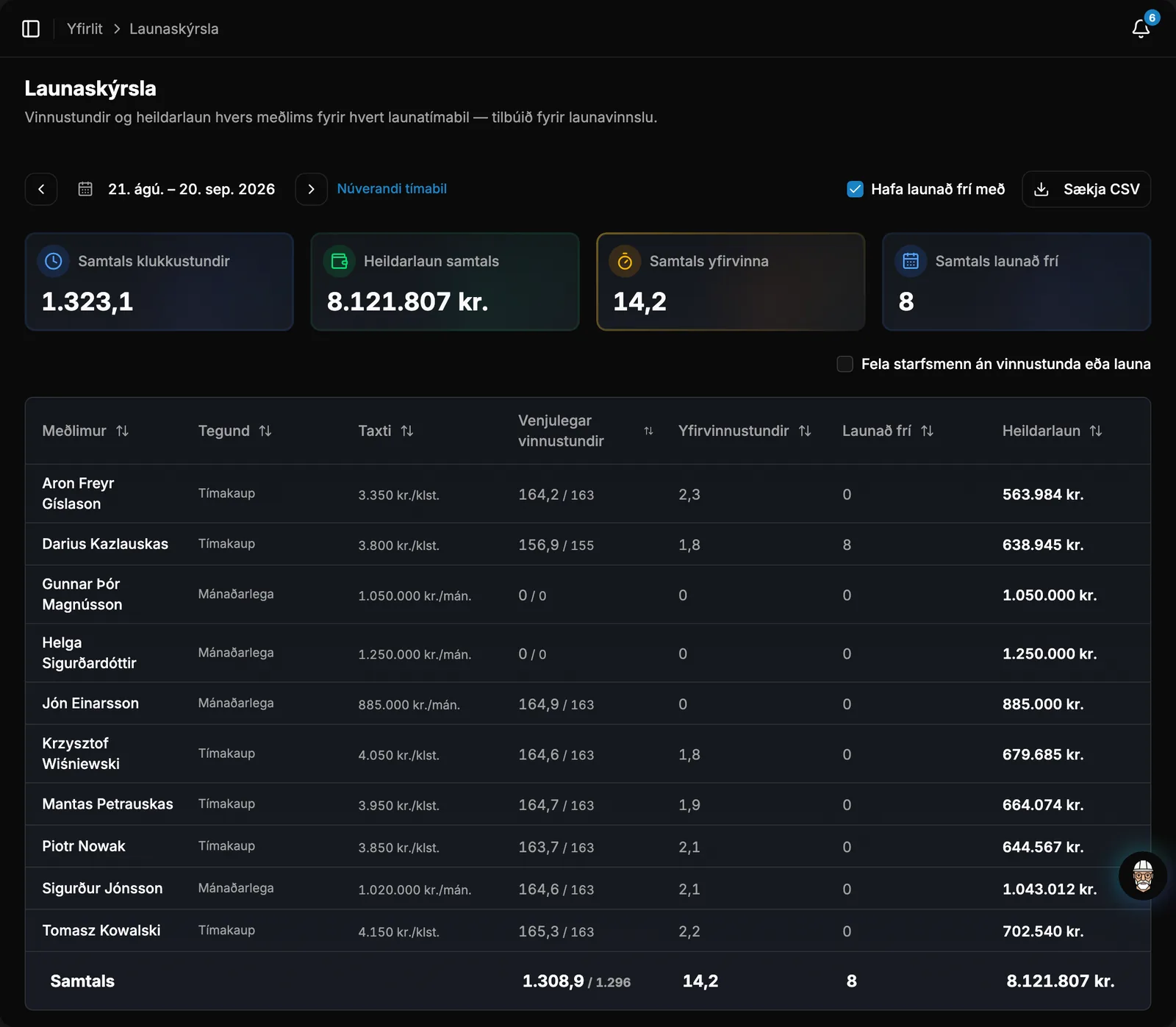
Payroll report for the pay period
The payroll report summarizes Sessions and pay terms for a pay period, with one line per employee and totals at the bottom, so no one has to add up hours manually.
- Approved paid time off is calculated based on the work schedule.
- All 16 Icelandic public holidays are calculated automatically, including Easter, and work on them counts as overtime.
Sessions in Excel
Download all sessions for a period as a CSV file, from the sessions page or the employee report—handy for payroll or an accountant.
Take control of your operations
Try Rektor free and see your real profit on every project.
14 days free · No credit card required · For contractors with 1–50 employees